Apps that make powerful management tools
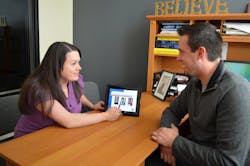
I admit it, I love technology. I’m one of those people that wake up at 2 a.m. to pre-order the newest iPhone or iPad on the first day. I try to convince myself it is not just about having the latest gadget. To my defense, I work to integrate it into my vending business to maximize my productivity and to improve the company’s operations.
The important point is that these tools allow me to be better organized. This translates into a stronger impression on customers, potential customers and employees.
Last month, I discussed ways in which I use my iPhone and iPad to improve my productivity and provide more personal freedom. I described how I use MEI Easitrax on my iPad, how I use CyberAudit security on an iPhone, how I monitor digital video surveillance cameras with my iPhohne and iPad, and other remote desktop functions.
This month, I will focus on document management using smart phones and tablets. As we all know, documents play a big role in a vending business.
Goodreader: a PDF reader
Goodreader is a very helpful PDF reader for the iPad. I used to carry three-ring binders with me to meetings. I serve on different committees and each committee would have one or more three-ring binders. With Goodreader, not only did I eliminate every three-ring binder I carried, but it also allowed me to have all my “binders” with me at all times.
Goodreader also syncs with Dropbox (which I discussed last month), so that is a great place to keep all my documents. I created folders in Dropbox for each committee I sit on. Then I sync to Goodreader. But it’s more than just reading documents. You can fully annotate and mark up documents. And then those documents can sync back.
Another way I use Goodreader is during request for proposal (RFP) conferences. I had a couple of these this summer. The RFPs can be 20 to 30 pages long or more. I do my homework and read them making my highlights and annotations in the document in Goodreader.
There was a funny experience at one of these proposal conferences. There were about a dozen people in the room and everyone had this thick packet. I was sitting at the table with nothing in hand except my iPad and stylus.
When the meeting started, people would ask questions and I could instantly go to the page in question. Oftentimes, people would ask a question like “I read in the RFP about piggybacking…” And everyone (including the customer) would be thumbing through the RFP looking for that section. I hit search, type the word, and instantly found it. It got to the point I was helping everyone out by just announcing the page number – both my competitors and the customers were helped by that.
Iit didn’t go unnoticed. My level of organization and understanding of the subject matter stood out to all in the room, and fairly represented the service and organizational level my company brings to all aspects of our operation.
Imagine going to a sales meeting with a prospective customer and using your iPad to display the presentation. If you are meeting with just a couple people, doing a presentation on the iPad is practical. Normally, in a small group like that, you wouldn’t use a projector, so instead you would have printouts. But then you lose some control as people thumb through the pages.
Quickoffice: productivity for mobile devices
With the iPad, you can do the presentation as if you were doing it off a projector using Quickoffice, a productivity suite for mobile devices which allows users to view, create and edit text files, presentations and spreadsheets. It is the equivalent of Powerpoint.
If we get a call from a prospective customer and I’m available, I can go straight over. From the car, in a just five minutes I can modify one of the stock presentations I routinely keep in my Dropbox. I change the name to the prospect’s name, change the date, etc. Sometimes I put in a little about them.
Then I can go meet with the prospect. While talking to them, I take out the iPad and show them the presentation on the spot. That almost always impresses them because it is personalized to them and it happens fast.
Then when I leave, I can take a thank-you document stored in Dropbox along with any information they requested for me to update. I can send this to them from the car and they’ll have it before they even get back to their desk!
This certainly can help win customers. It allows you to be responsive and personal at the same time. It helps illustrate that you have your “act in order.”
Quickoffice also has an Excel type module which allows you to make and update spreadsheets. Everything can be synced back to Dropbox.
Upad: Note taking app
This program is like a legal pad. Combine that with a stylus and you can take handwritten notes just like you would on paper. While I use it to take notes, I also use it to complete PDF forms (you can type in there as well) and sign documents.
Recently, I was in the field with a colleague. We had some documents sent via email that we had to sign. We thought about looking for a FedEx Kinko’s so we could print the documents, sign, and then fax. Then it occurred to me I could eliminate all those steps and take care it immediately!
Within minutes, I opened each PDF in UPad, typed in the parts I had to complete, signed the documents, exported to PDF, and sent them off. As you can imagine, not only did this eliminate unnecessary steps, but it saved quite a bit of time.
Sharepoint: multi-purpose platform
We use Microsoft Sharepoint, a multi-purpose platform, on our internal network to store shared documents, track things like pending moves, manage the vacation calendar, and store all our service documents, including machine manuals for every machine we have out in the field. Microsoft Sharepoint is a great resource for helping manage our information.
With Shareplus, we can leverage the Sharepoint site on the iPhone and iPad. Every resource on the Sharepoint site is accessible through the mobile devices, in an organized and easily accessible manner.
It even allows you to cache documents in an offline mode in cases where you might not have a data connection. But it’s not just one way – you can use it to create entries and upload to the Sharepoint site.
There are many ways we use this on a regular basis. We use it to track our pending moves. Everything about the moves is posted to the Sharepoint site. This helps everyone in the organization who needs that information stay updated. If anything is changed, it immediately is reflected because it is Web-based.
On the mobile device, we use it to change the status of moves from “scheduled” to “completed.” When the move is completed, we can log it off in real time. And Sharepoint has features in itself which can automatically send an email to the customer or sales person when the move is done.
I also use it to access machine manuals. Sometimes, if we’re out in the field, or a tech calls with problems on a machine that he can’t figure out, I can in a minute access the machine manual and instantly be on the same page as him.
Another way to use Shareplus is to create forms to collect information in the field. For example, I have a “lock change” form. When we move locks, or install a new lock in a machine, we need to track it so it can be updated in the appropriate systems. In Shareplus, we can complete the form and it is instantly saved back to the server in real time so anyone in the office has access to it and can process it and adjust its status.
Carbonite: Cloud-based backup
Carbonite is another utility that requires setup on your computer first. It is a cloud-based backup program. It takes all your files and keeps backup copies offsite. This is a good practice. You can easily recover in case something goes wrong with the computer, have a fire, or otherwise lose the files.
Carbonite also has an iPhone app which allows you to access every backed up file. In other words, with this app, you can access any document that you saved on your computer (or server if that’s where you are running Carbonite).
At my company, we digitally scan every document. We keep no paper files. Everything is scanned and the originals are shredded – every invoice, every order, every note, every contract. We have hundreds of thousands of pages of documents in our “digital cabinet.”
The beauty is every file is accessible from my iPhone/iPad. Accessing the files is very fast, too. For instance, recently on a Friday night, our in-house fleet mechanic called me and needed the receipt for a part in one of the trucks that was just under a year old and still under warranty. He wanted the receipt so he could get an exchange right away.
Without the technology, we might have had to just pay for the new part if we couldn’t quickly access the documents. While sitting at the dinner table, using my iPhone, I navigated straight to the truck’s file in our digital cabinet (which is accessible through Carbonite), found the receipt, and immediately sent it to the mechanic in just a couple minutes.
He was able to get the parts store to honor the warranty and get the replacement part for free. Just a couple of savings like this more than pays for the iPhone.
eWallet for security
Last but not least is an app called eWallet, not to be confused with the generic term, electronic wallet which usually refers to the digital wallet like Google Wallet. eWallet by Ilium Software Inc. is a security device.
It surprises me how many people store their passwords and PIN numbers in just a note on their mobile device. That is not a very secure place to store sensitive information. I have used eWallet for many years across many different devices. It allows you to store all your sensitive information in an encrypted manner, and keep it synchronized to your computer.
Some apps do require setup on the computer side, and accordingly, it does take varying levels of skill. But again, this article was written with the goal of providing insight on what is possible using the iPhone and iPad.
While I focused on Apple hardware in this article, most of these apps are also available for the Android platform.
About the Author
Paresh Patel, Ph.D., is owner and president of Courtesy Vending LLC in Portland, Ore.
About the Author

Paresh Patel
Paresh Patel, PhD, is an award-winning innovator who has designed and developed products that have won five NAMA gold innovation awards, a Connected World award and an American Beverage Association award for Best Technology Innovation. He's an operator who has experienced the challenges faced by operators and developed products that solve real problems in unique ways. He can be reached at [email protected].