Merchandising in vending reaches new heights
What is merchandising in vending? Jim English, CEO of Sprout Retail, defines merchandising as “the art of balancing service frequency, assortment, pricing, sales rates and inventory to deliver the maximum gross margin every time you visit the machine. The real challenge is that optimizing any one variable often sub-optimizes the others. Striking a balance is tricky process, but with the right tools it can be achieved.”
I agree with Jim’s definition, and in talking with several operators, two objectives seemed to come up:
- Focus on putting the best selling products in the machine to maximize sales.
- Focus on increasing space to best selling products to lengthen service intervals.
However, one operator thought that there were two types of machines – those that are high volume, profitable, and should be optimized for increased sales. But other low volume, marginally profitable machines should be optimized for longest service interval to reduced costs.
Your ability to merchandise effectively is directly tied to your technology capabilities.
Traditionally, the vending operator has left it up to the driver to provide the right products at the right time, with direction on price point and a selection of products provided by management. This makes sense since operators were not able to track what items actually sold on a per machine basis. So the closest person to understanding the consumer was the route driver so the decision was left in their hand.
Technology changes things
With item level tracking capabilities – enabled with technology coupling DEX reporting and capable software solutions – operators are now able to actually understand what products are being sold at each machine. The advent of pre-kitting and dynamic scheduling are tools from these software solutions that allow the vending operator to actually manage this process of understanding item level sales at the specific machine level and create operational processes that will scale to provide all their drivers with direction on the right products and right time when they service the machine as well.
The bottom line is that your level of technological sophistication has a direct link to your capabilities to effectively merchandise.
Table 1 below shows how your merchandising capabilities relate to your technology situation.
It is important to note that while it can be valuable to utilize the demographic profile of the account, nothing is better than having the actual line item sales data for each machine. Even a machine in a “white collar” location may perform more like a blue collar machine based on the individual buying preferences of the consumers.
If you are currently not using any software or remote monitoring system that is capable of tracking item level sales, your only real option is to try and give planogram guidance to your drivers using account demographics (like blue collar, white collar, school, etc).
When I initially worked on a merchandising tool in vending, I was focused totally on increasing sales. I was working with a vending operator that was using wireless and dynamic scheduling. When we reviewed the data, it became clear that a few products were driving the dynamic schedule – and triggering the services based on a threshold of two sold out products or three sold out columns in a snack vending machine. By simply allocating two columns from poor sellers and doubling up the best sellers, the service schedule could often be extended to nearly twice the original schedule saving a ton of money on service costs.
Let’s look at different machine types in detail.
When merchandising non-glassfront beverage vending machines, your options depend on the capabilities of the machine. If the stacker machine supports flexible space to sales programming, you can often allocate variable amounts of space to each product (button). If you are confident in the products in the machine (often determined by the bottler that supplied the machine), your goal should be to efficiently tune the space to sales or columns allocated to buttons to lengthen the service intervals while maximizing selldown. Of course, before doing this, you should analyze the sales and see if any products should be removed and replaced.
MEI reports provide an example where small space to sales adjustments were able to save services in a space to sales enabled machine using simple reporting from the MEI software (Figure 2).
In this example, the MEI report shows that allocating an additional column to Coke Classic (suggested) would save three deliveries a year, and extend the service interval from 27 days to 36 days.
The modern glassfront beverage machines like Crane’s BevMax 4 are capable of many programming options that can manage merchandising and space to sales. Since machines like this can vend many product sizes and prices out of the columns, options include offering selections like energy drinks and healthy drinks with higher margins.
One feature that many don’t know about is the “even sell down” configuration that allows the machine to be configured to sell an entire shelf down evenly. As an example, if the first two shelves are allocated to Coke or Pepsi, the machine can be configured to treat the entire “block” as one, and no matter what selection is made – the machine will manage selling the product out of all columns. The advantage here is that the machine won’t look empty because most consumers chose the first selection “101”
A general strategy for merchandising these machines is as follows:
- Analyze the space to sales allocated to each product – there will likely be some products or space that is not performing to you.
- Consider offering higher margin alternatives when the contract allows it.
- Create a new planogram for the machine, and if possible, program the even sell down feature.
Glassfront snack machines provide the best example of where vending can learn from retail. There are huge opportunities for improvement for operators without any machine configuration changes.
Most operators over or under service these machines. Optimizing the schedule frequency and rotating in new products is a massive profit opportunity.
The first thing you need to do is find selections that are underperforming – this is easy to do using a merchandising software tool, or even a basic sales ranking report for the machine.
One you identify these underperforming selections, the question becomes what to do with them.
What you do depends on a lot of factors.
In typical snack vending machines, the best selling products outsell the others by a huge margin. If you can add an additional column or add more space to the two top bestsellers you can often double the service interval at a machine.
Once that is done, the focus should be on replacing other poor sellers with new products. There are two options here:
- Look at your own data and make sure that each machine is stocking good selling products from your own data that might not be in the machine. Often times this is not the case. For many vending operators, some of the global best selling products are not in all machines.
- Consider placing new products in each machine to replace the poor sellers. Many times, a new product will initially sell well, and then a sales drop off comes – so it is important to monitor results.
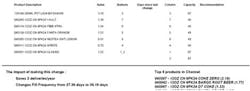
Figure 2 provided by Crane Streamware illustrates how Streamware’s merchandising tool deals with a typical snack machine.
Figure 2 – sample data
The tool has several aspects including analyzing category performance (category management) and pointing out what saving would be made if the recommended change were made. In this case, the tool shows that the space allocated to each category is well already well balanced. The tool also shows the difference between the best selling and worst selling products in the machine and recommends several changes.
Although this article dealt with some of the specifics of merchandising machines, there are a few items still to consider:
- Price sensitivity is always a factor, and because of existing contracts, adjusting prices may or may not be an option. Studies have shown that lowering prices increases sales and makes up for margin. There are some accounts where testing lower prices may be an option, but prices are already so low in vending. A better option is offering high priced / high margin alternatives like energy drinks and healthy snacks where allowed.
- The DEX protocol allows for handheld and remote monitoring solutions to change prices automatically in your machines. Many software and remote providers are experimenting with this option, but it only works when you do not have prices printed on the machine labels. In one study I know of -- taking the prices off the machine actually increased sales. In this case, the machine is configured to suggest “enter a selection to see the price”.
- Some merchandising tools have an option to lower par for products that are not selling well – in other words, the column can hold 15 candy bars, but you will save inventory costs by only stocking it with seven. This is a good idea, however, make sure your existing review process or software have some option to automatically increase the “par” level if that product starts selling out.
If we look to the future, it is likely that touchscreens and modern electronics will be increasingly used to enhance merchandising opportunities in vending machines (as they are in self service kiosks). When this happens, there will be greater opportunities to conform with government regulations around calorie and nutritional info, advertise products, offer promotions, and administer and promote loyalty programs. The challenge is making these programs work is that the vending machine will need to know which products are in each spiral or associated with each selection. Companies using advanced software and / or remote monitoring solutions can do this today. In closing, make sure you have a strategy for tracking item level, and approach merchandising as a way to increase your profits.
Table 1: How an operator's technology level affects merchandising capabilities.
Technology Sophistication
Tracking category level (i.e., chips, candy, etc.) in machines.
Merchandising Options
Generally left up to the diver, although you can provide guidance using planograms by account demographics (white collar, blue collar, etc.). Without sending a supervisor to audit machines, it will be hard to determine if drivers are following planograms.
Technology Sophistication
Tracking item level using DEX software and/or wireless.
Merchandising Options
You will have the data necessary to merchandise individual machines effectively. A handheld or other tool that can enforce and verify planogram changes is helpful.
Technology Sophistication
Pre-kitting using DEX handheld or wireless data.
Merchandising Options
A pre-kitting operation is ideal for merchandising since the product selection is out of the driver's control. Because wireless systems don't rely as heavily on past sales data for accurate pre-kits, they provide an advantage when merchandising leads to frequent product changes.
Technology Sophistication
Utilizing wireless data and dynamic scheduling systems in addition to the above.
Merchandising Options
There is a huge advantage to deploying effective merchandising when you use dynamic scheduling and wireless, because any changes made to lengthen service intervals are immediately acted upon, especially when sold out columns result without dynamic scheduling. You must have discipline to manually lengthen the schedule when merchandising changes are made.
About the Author

Glenn Butler
Glenn Butler was a founder of VendScreen and served as CTO. He also runs a M2M and vending focused consultancy called CTO Services. He can be reached and [email protected] or 781-248-3122.